How to Dispute a Charge on Cash App?
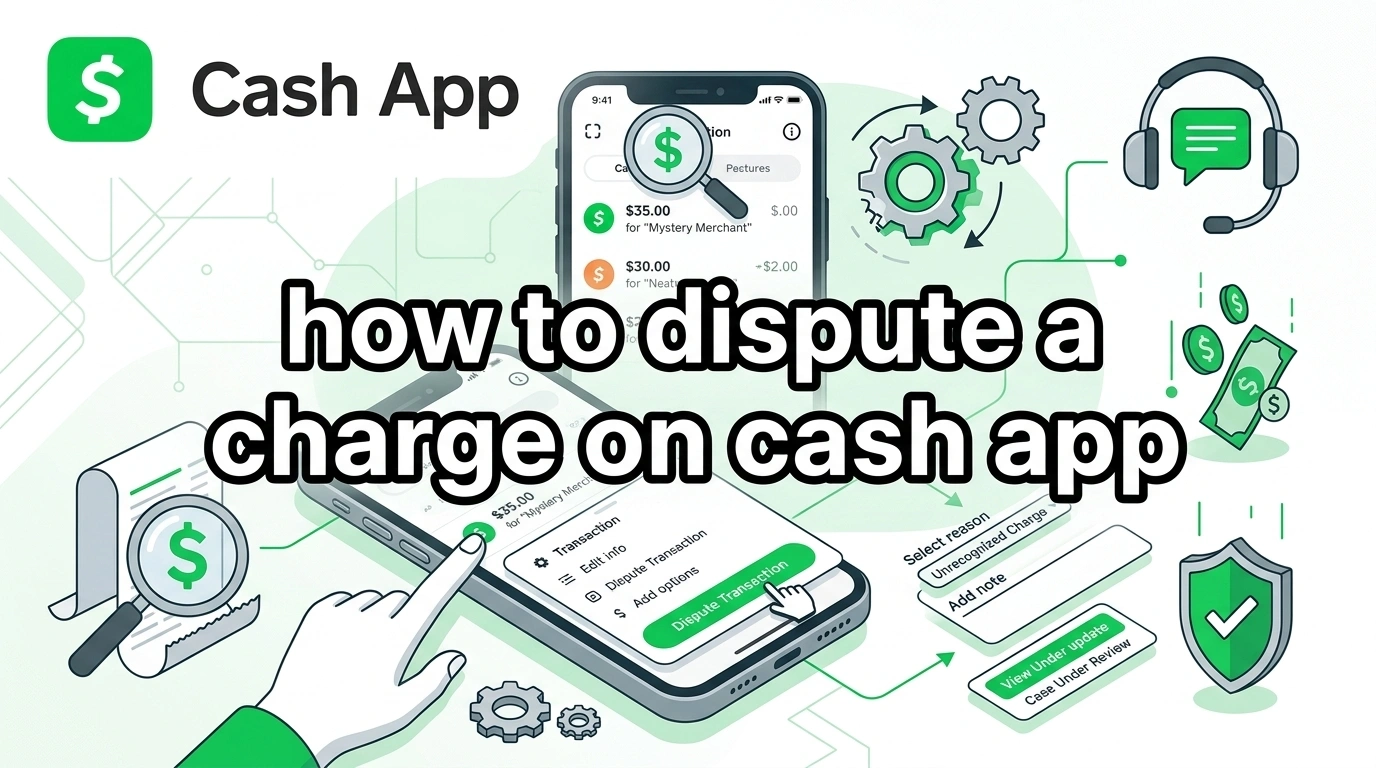
Noticing a charge you do not recognize can feel stressful. Many people panic, especially when money leaves their account without warning. The good thing is that you can take action quickly. If you follow the right steps, you can report the issue and start the dispute process on Cash App.
What Should You Do Immediately to Dispute a Charge?
Step-by-Step Inside the App
If you see a suspicious or incorrect transaction, act right away. The faster you report it, the better your chances of resolving it.
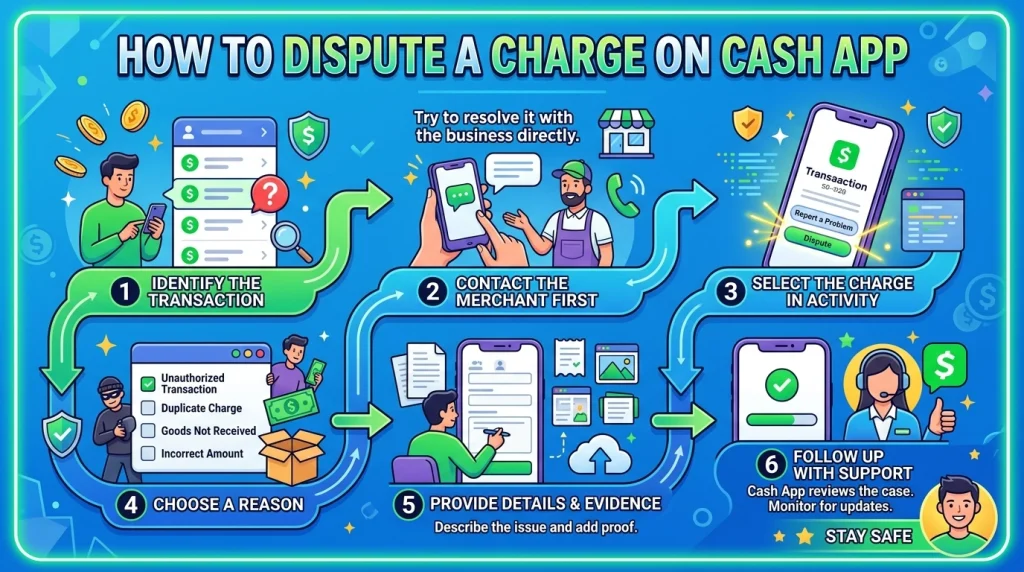
Follow these steps inside the app:
- Open Cash App
- Tap your profile icon
- Select Support
- Choose Cash App Card
- Tap Dispute a purchase
- Select Start a dispute
Once you submit your claim, the system will forward it to the support team for review. You will receive updates through email and in-app notifications.
Contacting Support Outside the App
If you cannot access the app or prefer speaking to someone, you can contact support directly. This option is helpful when the situation feels urgent or unclear.
You can:
- Call the support line at 1 (800) 969-1940
- Reach out through in-app chat support
- Submit a request through the help section
In some cases, it is also worth contacting the merchant first. If the charge is legitimate but incorrect, the merchant may resolve it faster.
When Should You Report the Charge?
Act Quickly to Improve Your Chances
Timing plays a major role in dispute success. The earlier you report the issue, the easier it becomes to investigate the transaction.
In general, you should report a charge:
- As soon as you notice suspicious activity
- When a payment looks unfamiliar
- If you did not authorize the transaction
Waiting too long can reduce your chances of recovery. It may also delay the investigation process.
Understanding the 60-Day Rule
There is also a formal time limit to keep in mind. You should file a dispute within 60 days from the date your monthly statement becomes available.
Your transaction history inside the app helps you track this. Once the deadline passes, your claim may no longer qualify for review.
Learn More: Encuentra El Ritmo Meaning and Emphasization
Which Charges Can You Actually Dispute?
Understanding Authorized vs Unauthorized Transactions
Not every payment qualifies for a dispute. The outcome depends on how the transaction happened and whether you approved it.
An unauthorized transaction usually means someone accessed your account or card without permission. These cases have a higher chance of refund.
An authorized transaction is different. If you sent money yourself, even by mistake, recovery becomes much harder.
Common Situations That Qualify
Some scenarios are more likely to be accepted during a dispute review. These usually involve clear signs of fraud or system errors.
- A charge you do not recognize
- Activity flagged as suspicious
- Payments made without your approval
If any of these apply, report the issue immediately. The system will review your transaction history and begin an investigation.
What Happens After You Submit a Dispute?
How the Review Process Works
Once you submit a claim, the support team begins reviewing the transaction. Cash App will analyze details such as payment history, account activity, and merchant involvement.
You may receive updates through:
- Email notifications
- In-app alerts
- Follow-up requests for more information
In some cases, the support team may contact the merchant directly to verify the charge.
Timeline You Should Expect
The process does not resolve instantly, so it is important to stay patient while the investigation continues.
Here is how the timeline usually works:
- Initial update within 10 business days
- Full investigation can take up to 45 days
- Temporary credit may be issued if delays occur
This temporary credit is not guaranteed. It depends on whether your case meets eligibility requirements.
What If You Were Scammed?
Steps to Take Right After a Scam
Getting scammed can feel frustrating, especially when the payment was sent willingly. In these situations, recovery becomes more difficult, but you should still act quickly.
Start by:
- Reporting the transaction immediately
- Contacting the recipient if possible
- Saving screenshots and proof of communication
These steps help build a stronger case during the review process.
When to Contact Your Bank Instead
If your payment was made using a debit or credit card, you have another option. You can contact your bank or card provider to request a chargeback.
Banks follow different rules, which may improve your chances of getting your money back. This is especially useful when the app cannot reverse the payment.
Why Do Some Disputes Get Denied?
Common Reasons for Rejection
Not all claims are approved, even if the situation feels unfair. Understanding why disputes fail can help you avoid mistakes.
Some common reasons include:
- The payment was authorized by you
- Lack of supporting evidence
- Disputes related to goods or services
If the system determines that the transaction was valid, the claim may be denied.
How to Appeal a Denied Dispute
If your dispute gets rejected and you believe the decision is incorrect, you still have one more option. You can submit an appeal with additional information.
You should:
- File the appeal within 60 days
- Provide stronger evidence or clarification
- Submit documents directly through the app
After review, the final decision will be shared. This outcome cannot be appealed again.
How Can You Increase Your Chances of Getting a Refund?
Simple Ways to Strengthen Your Claim
While no method guarantees success, certain actions can improve your chances significantly.
- Report the issue as early as possible
- Provide clear screenshots and transaction details
- Explain the situation in a simple and accurate way
- Respond quickly to any support requests
Strong documentation helps the investigation team understand your case better.
How Can You Avoid Disputes in the Future?
Smart Habits That Reduce Risk
Preventing issues is always easier than resolving them. Small habits can protect your account and reduce the chance of losing money.
Always double-check payment details before sending money. Avoid dealing with unknown users, especially in urgent situations.
Enable security features such as notifications and account verification. These tools help detect suspicious activity early.
FAQs
How to dispute a charge on cash app if I do not recognize it?
Open Cash App, go to Support, and start a dispute from your transaction history. Report it immediately for better chances.
Can you get your money back after a dispute?
You can get your money back if the transaction is unauthorized or qualifies under dispute rules. However, authorized payments are harder to recover.
How long does a Cash App dispute take?
Most disputes receive an update within 10 business days. Full investigations can take up to 45 days depending on complexity.
What should I do if I got scammed on Cash App?
Report the transaction right away, save evidence, and contact your bank if you used a card. Acting quickly improves your chances.
Can you cancel a completed Cash App payment?
Completed payments cannot be canceled directly. You need to request a refund or file a dispute through support.
Why was my dispute denied?
Disputes are often denied if the payment was authorized or lacks proof. Providing clear evidence can help avoid rejection.
Can my bank help with a Cash App dispute?
Yes, if you used a debit or credit card, your bank can initiate a chargeback. This may offer stronger protection than the app alone.
Final Takeaways
Disputing a charge on Cash App requires quick action and clear information. The process starts with reporting the issue and submitting a claim through the app or support. Unauthorized transactions have a higher chance of success, while authorized payments are harder to recover. Understanding timelines, rules, and evidence requirements can improve your outcome. Acting early and staying informed makes a real difference in resolving the issue.