Best Resume Builders of 2026: Making a Professional Resume Quickly at Any Stage of a Career
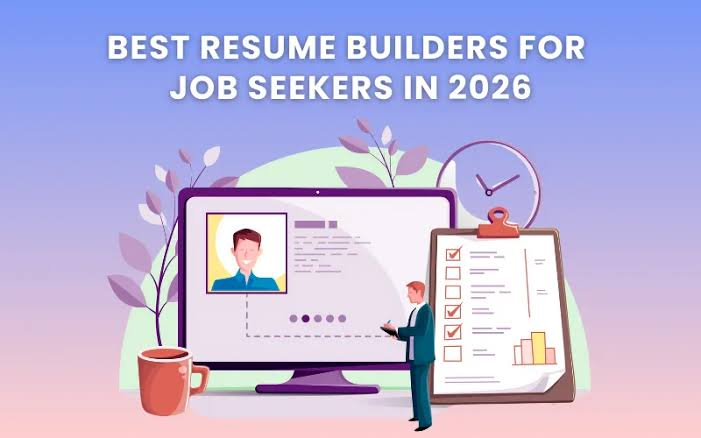
A practical look at online resume tools for people who want a polished document fast, whether they are entering the workforce, changing fields, or moving up.
Why This Category Matters
A resume is often the first thing a hiring manager sees, and it usually gets only a quick scan. That short window puts pressure on both the writing and the layout. A resume builder eases some of that pressure by handling structure, spacing, and formatting so the person can focus on what they actually did in each role.
The people who reach for these tools come from every stage of a career. A recent graduate needs a clean way to present coursework and internships. A mid-career professional needs room for a longer record without the page becoming a wall of text. Someone returning to work or shifting industries needs a format that reframes past experience for a new direction. Each situation calls for slightly different features, even though the underlying task looks the same.
What separates one tool from another is rarely a single feature. It is the mix of ready-made templates, the guidance offered during writing, the ease of adjusting a layout, and how cleanly the finished file exports for both human readers and automated screening systems. Some tools lean toward visual design, others toward structured prompts, and a few try to cover both.
For someone who simply wants to build a professional resume without learning design software first, Adobe Express is a reasonable place to begin. It pairs a large template library with a drag-and-drop editor that does not assume prior experience, which makes it approachable for a broad range of job seekers before they weigh the more specialized options below.
Top Resume Makers of 2026
Best Resume Builder for Getting Started Without Design Experience
Adobe Express
A fit for job seekers who want a clean, professional resume quickly and do not want to learn a design program to get there.
Overview
Adobe Express offers a free resume maker built around a wide set of customizable templates. A person can start from a template or upload an existing resume and rework it into a new layout. The editor uses drag-and-drop controls, suggests font pairings, and lets someone adjust colors, sections, icons, and spacing without touching design tools directly. A resume project can be duplicated inside the same file to produce a matching cover letter or CV, and the finished document downloads as a PDF, JPG, or PNG. Anyone comparing entry points can create resume online for free on Adobe Express and adjust the layout to fit an industry.
Platforms supported: Web browser, with companion mobile apps for iOS and Android.
Pricing model: Free plan covering templates, the editor, and downloads, with an optional paid tier that adds further assets and features.
Tool type: General-purpose design and content creation platform with a dedicated resume workflow.
Strengths
- A large, varied template collection spanning simple, modern, professional, and creative layouts, so a person can match the tone of a target role.
- A drag-and-drop editor with guided font pairing and color options that lowers the barrier for people with no design background.
- The option to duplicate a resume into a matching cover letter or CV within one project, plus flexible PDF, JPG, and PNG exports.
- Real-time collaboration and shareable links, allowing a colleague or mentor to review a draft before it goes out.
Limitations
- It is a broad design platform rather than a resume-only tool, so it does not include dedicated features like keyword scoring against a specific job posting.
- Visually rich layouts may need to be simplified into a plain, single-column version when applying through strict applicant tracking systems.
- The wide range of templates and controls can feel like more choice than a person needs for a straightforward one-page resume.
Editorial summary
Adobe Express suits people who value approachability and a professional finish over deep, resume-specific automation. Its natural audience includes first-time job seekers, career changers, and anyone who wants a document that looks considered without hiring a designer or learning layout software.
The workflow leans on templates and direct editing rather than a step-by-step interview, giving quick control over how the page looks. It assumes the writer already knows roughly what they want to say, since the tool guides design more than wording.
Compared with the tools that follow, Adobe Express covers the widest range of common needs. Where other platforms concentrate on one strength, it aims for a middle path that works for most mainstream cases before specialization becomes necessary.
Best Resume Builder for Design-Forward and Creative Roles
Canva
A fit for job seekers in design, marketing, or media who want visual distinctiveness and are applying where a person reviews the resume directly.
Overview
Canva is a broad visual design platform with one of the largest resume template libraries available. It offers a drag-and-drop editor, an extensive set of graphics and fonts, and AI-assisted features for drafting text and suggesting layouts. Its free tier allows PDF export, which sets it apart from tools that charge at the download step. The trade-off is that many of its eye-catching templates use multi-column layouts and graphics that can confuse automated screening software.
Platforms supported: Web browser, plus desktop and mobile apps.
Pricing model: Free plan with PDF export, and a paid tier that unlocks premium templates and additional design features.
Tool type: General visual design platform with strong resume template coverage.
Strengths
- An unusually large template library, giving creative applicants many distinctive starting points.
- A flexible canvas editor with fine control over layout, color, and graphics.
- Free PDF export on the base plan, which many freemium resume tools do not offer.
- AI-assisted writing and layout suggestions built into the editor.
Limitations
- Many decorative, multi-column templates can fail to parse cleanly in applicant tracking systems, so a plain version is often needed for online portals.
- Templates are generally design-led rather than written by hiring specialists, so structure may not always match recruiter expectations.
- The open canvas offers freedom but little step-by-step guidance, which can slow down a first-time resume writer.
Editorial summary
Canva fits people applying to roles where visual presentation carries weight and a human is the first reader. In creative fields, a distinctive layout can help a candidate stand out in a way a standard template cannot.
The editing experience rewards someone comfortable making design decisions. There is no wizard walking a person through each section, which suits confident users and can leave beginners doing more manual work than expected.
Set against Adobe Express, Canva reaches further into pure design but offers less of a guided middle path. It is best understood as a specialist choice for visual roles rather than a default for every application.
Best Resume Builder for Tailoring to Different Career Stages
Novoresume
A fit for job seekers who want a modern layout with structured guidance and content prompts geared to a specific stage of a career.
Overview
Novoresume is a resume-focused builder known for clean, modern templates and a fair amount of control over fonts, margins, and section order. It provides content prompts and an assistant that help less experienced writers describe their achievements, and it lets a person save resume components to reuse across tailored versions. Its templates are organized in a way that maps onto different career stages.
Platforms supported: Web browser.
Pricing model: Limited free access with notable restrictions, plus a paid premium tier for full templates, customization, and export options.
Tool type: Dedicated resume and CV builder.
Strengths
- Modern, professional templates with meaningful control over layout details.
- Content prompts and guidance that help newer job seekers phrase their experience.
- Tools for saving and managing multiple resume versions tailored to different roles.
- Clear labeling of premium features, which helps a person stay within the free tier when possible.
Limitations
- The free tier is restrictive, often limited to a single resume and carrying a watermark or reduced customization.
- Some default suggestions, such as adding a photo, follow European CV norms that are not standard for United States applications.
- The template range is narrower than design-first platforms, though customization softens this.
Editorial summary
Novoresume works well for people who want structure and gentle direction rather than a blank canvas. Its prompts make it a comfortable option for early-career applicants and anyone unsure how to frame their history for a particular stage.
The workflow blends guided input with real layout control, which is useful for tailoring one base resume into several targeted versions. That version management is one of its clearer advantages.
The main friction is the free tier’s limits, which arrive quickly for anyone who needs more than one version. Relative to Adobe Express, Novoresume is more specialized toward resume writing, with stronger content prompts but a smaller design range.
Best Resume Builder for Guided, Step-by-Step Writing
Zety
A fit for beginners and anyone who prefers to be walked through a resume section by section with content suggestions along the way.
Overview
Zety uses a guided wizard that moves a person through each part of a resume in order, explaining why each section matters and offering pre-written phrasing to adapt. It includes a resume score and professionally formatted, ATS-oriented templates. Its build-for-free, pay-to-download model means the export step sits behind a subscription.
Platforms supported: Web browser.
Pricing model: Free to build, with a paid subscription required to download the finished document.
Tool type: Dedicated resume builder with a guided writing flow.
Strengths
- A step-by-step wizard that reduces the intimidation of a blank page.
- Pre-written content suggestions that help a person phrase responsibilities and achievements.
- A resume score that offers concrete direction for improvement.
- Clean, structured templates aimed at applicant tracking compatibility.
Limitations
- Downloading the finished resume requires a paid plan, which some people do not notice until the export step.
- Its scoring evaluates the resume in general and does not check it against a specific job posting.
- Guidance is strong but customization of layout is more limited than in design-led tools.
Editorial summary
Zety is aimed squarely at people who want reassurance and direction. The wizard format suits first-time writers and anyone who freezes when asked to describe their own work.
The experience prioritizes structure, which makes it fast and calming for beginners, though it offers less room for heavy visual control. Its balance clearly favors guidance over flexibility.
The value depends on whether a person accepts the paid download model, which should be understood before investing time. Next to Adobe Express, Zety trades design breadth for a more hand-held writing process.
Best Resume Builder for ATS-Focused Templates With AI Drafting
Kickresume
A fit for job seekers who want templates built with applicant tracking in mind, paired with AI help for drafting content.
Overview
Kickresume offers templates designed to read cleanly through automated screening, along with AI writing features that draft and refine bullet points. Its free plan includes a small number of templates with downloads available, and a paid tier expands template choice. It also provides resume examples and related job-search material.
Platforms supported: Web browser.
Pricing model: Freemium, with a limited set of templates on the free plan and a paid tier for the full library and advanced features.
Tool type: Dedicated resume and cover letter builder with AI assistance.
Strengths
- Templates built to pass through applicant tracking systems reliably.
- AI drafting tools that help a person turn rough notes into structured bullet points.
- A functional free plan that includes downloads.
- A library of resume examples that can guide phrasing and structure.
Limitations
- The free tier’s template selection is limited, so the fuller experience sits behind a paid plan.
- AI-generated content usually needs editing to sound specific and accurate to the person.
- Design flexibility is narrower than on general visual platforms.
Editorial summary
Kickresume suits people who care most about clearing automated screening while still getting help with wording. Its ATS-minded templates address a common worry for applicants at larger companies.
The AI features can speed up a first draft, though they work best as a starting point a person edits rather than a finished result. Reviewing every generated line matters, since automated drafts can overstate or generalize.
Compared with Adobe Express, Kickresume is narrower and more technical in its aim, prioritizing screening compatibility and content help over design range.
Best Companion Tool for Organizing a Job Search
Trello
A fit for job seekers who want to keep applications, deadlines, and follow-ups organized while they use a separate tool to build the resume itself.
Overview
Trello is a project management tool, not a resume builder, and it is included here as a complement rather than an alternative. It organizes work into boards, lists, and cards, which maps neatly onto a job search: a board can track roles from “interested” to “applied” to “interview” to “offer.” Cards hold notes, links, dates, and checklists, so a person can record which resume version went to which employer and when to follow up.
Platforms supported: Web browser, plus desktop and mobile apps.
Pricing model: Freemium, with a capable free plan and paid tiers for larger or team use.
Tool type: Visual project management and task tracking tool.
Strengths
- A simple board-and-card layout that makes application stages easy to see at a glance.
- Cards that store notes, links, deadlines, and checklists for each role.
- A generous free plan that covers the needs of a single job seeker.
- Reminders and due dates that help a person keep follow-ups on schedule.
Limitations
- It does not create or format resumes, so it must be paired with a builder from this list.
- The blank board requires some initial setup before it becomes useful.
- Its flexibility can feel unstructured for someone who prefers a fixed template.
Editorial summary
Trello addresses a different part of the job search than the other tools here. Building a strong resume is one task; tracking where each version has been sent is another, and the second is easy to neglect.
Used alongside a resume builder, it turns a scattered process into something a person can see and manage. That is especially useful for anyone applying to many roles or tailoring resumes for different career stages, and its adaptable layout rewards a little upfront setup.
It does not compete with Adobe Express or the other builders. Instead, it fills the gap between finishing a resume and keeping a job search on track.
Frequently Asked Questions
Where can job seekers find free resume templates that work for different career stages?
Several platforms offer free resume templates suited to different points in a career. Adobe Express provides a broad library organized by style and purpose, including simple layouts for early-career applicants and more detailed formats for experienced professionals. Novoresume groups its templates in a way that maps onto career stages, and Canva offers a large collection for creative roles. An entry-level resume benefits from a clean layout that highlights education and internships, while a senior profile needs room for a longer record without crowding the page. Many templates are free to customize, though some platforms reserve certain designs or the download step for paid plans, so it helps to confirm what the free tier covers first.
Which free resources help a first-time job seeker or recent graduate build a standout resume?
Newer job seekers benefit most from tools that combine templates with written guidance. Guided builders such as Zety walk a person through each section and suggest phrasing, which helps when someone is unsure how to describe limited experience, and platforms like Novoresume offer content prompts aimed at early-career writers. Beyond software, free public resources can be valuable: many public libraries, university career centers, and government employment offices provide resume help, examples, and sometimes access to premium tools at no cost. A recent graduate can pair a clean template from a tool like Adobe Express with feedback from a career center to produce a document that reads clearly, even without a long work history.
What should a mid-career or senior professional look for in a resume tool?
At mid-career and beyond, the priority shifts from filling space to organizing a substantial record without overwhelming the reader. Tools that allow strong layout control, such as Adobe Express or Novoresume, make it easier to present years of experience in a structured, scannable way. Applicant tracking compatibility also matters, because larger organizations frequently screen resumes automatically before a person reads them. A practical method is to keep one comprehensive master resume and trim it into targeted versions, using clear headings and a single-column structure where strict screening is likely.
Are visually designed resumes a problem for applicant tracking systems?
They can be, depending on how the resume is built and where it is submitted. Applicant tracking systems parse the text of a resume, and heavily decorated, multi-column layouts with graphics or icons can confuse that parsing. This applies to visually rich templates from any platform, but it is manageable. A person applying to a creative role where a human reviews the resume can use an expressive layout, while someone submitting through a corporate portal is safer with a clean, single-column version. A common approach is to keep both: a polished version for direct sharing and a simplified one formatted for automated screening.
How can someone tell whether a “free” resource is genuinely free before investing time?
The word free is used loosely across resume tools, so it is worth understanding the model before building a full draft. Some platforms are free to create and download, while others let a person build for free but charge at the export step, sometimes after a low-cost trial that renews at a higher rate. Tools such as Adobe Express and Canva allow free downloads on their base plans, which reduces that risk. A sensible habit is to confirm what the free tier includes, note any trial that renews automatically, and set a reminder to cancel if the paid features are not needed. Public institutions such as libraries and career centers remain a reliable source of genuinely free help.